See the trading
day.
Market Window replaces Chrome’s new tab with a local-time view of six global exchanges—market hours, countdowns, quotes, and the next opening.
Add to Chrome ↗New York Stock Exchange
Demo quote · provider data optional
Six exchange clocks, translated into your day · --:-- local time
One new tab. Six market clocks. No timezone arithmetic.
See what is open, what closes next, and where the next session begins.Six markets.
One timeline.
See every session
on one timeline.
The 24-hour market-hours view places Mumbai, Tokyo, London, New York, Hong Kong, and Frankfurt on your local clock.
A live “now” line and clear countdowns show which exchanges are open, which close next, and when the next session begins.
Each market,
ready to scan.
Every card combines the exchange state, index level, latest quote, daily change, intraday movement, and the next session time.
Demo data works immediately. Add your own Twelve Data key when you want provider-backed quotes, with cached data available between refreshes.
Built for the
next glance.
Market Window keeps the information you check most often in the page Chrome already opens for you.
Your new tab,
with market context.
Start with a greeting, local clock, and search. Then scan upcoming opens, the open-versus-closed summary, and your saved market links without leaving the page.
Make it your new tab ↗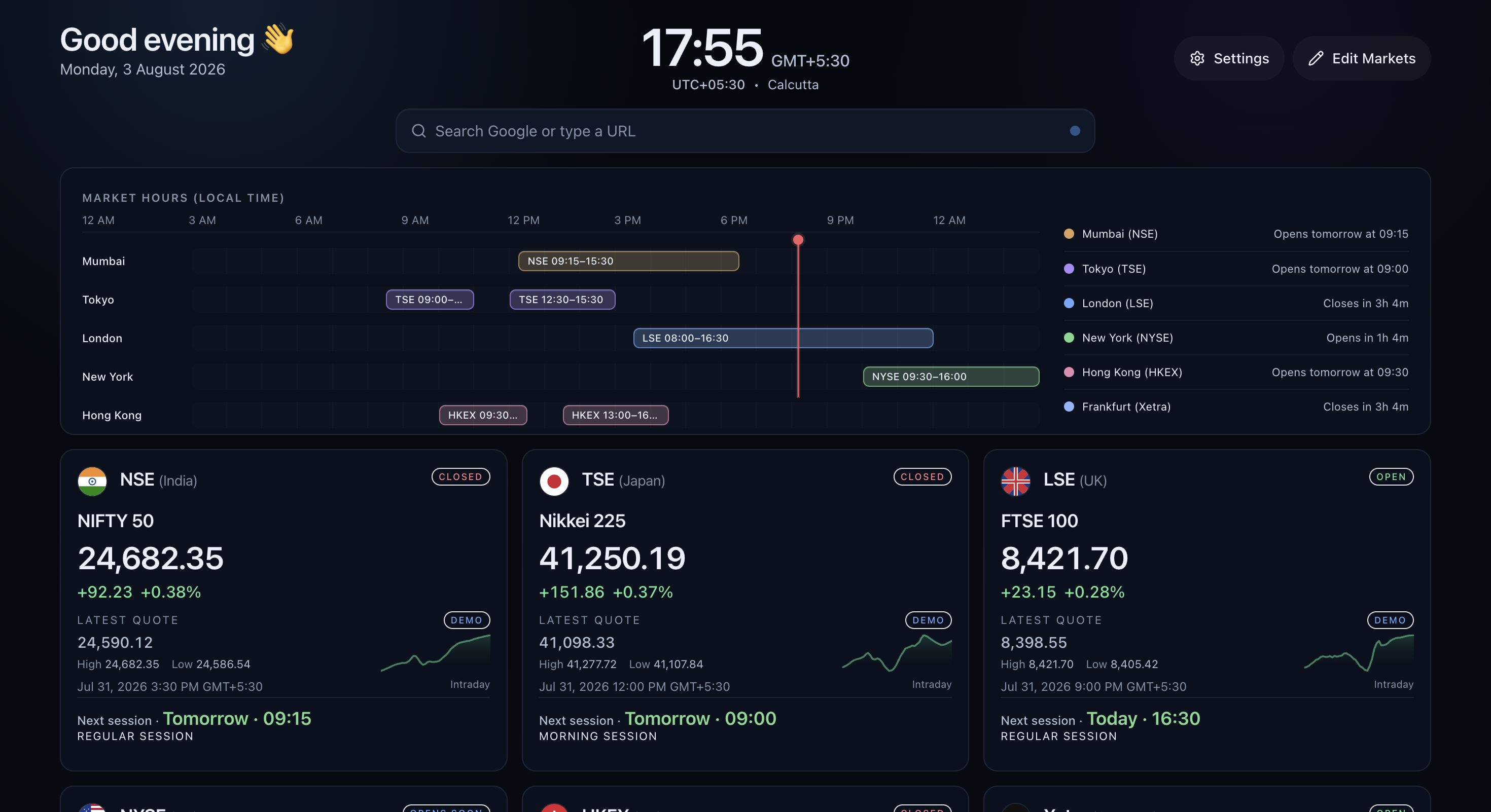
Good to
know.
Do I need an API key?+
No. Market Window starts in clearly labeled demo mode. You can add your own Twelve Data key later for provider-backed quotes.
What stays in Chrome?+
Your enabled markets, market order, appearance, quick links, cached quotes, and provider settings are stored in Chrome’s local extension storage.
Which markets are included?+
NSE, TSE, LSE, NYSE, HKEX, and Xetra, with bundled session schedules, holiday calendars, current states, and transition countdowns.